Payments statistics
You can access this section from the financial management panel, in the Information menu.
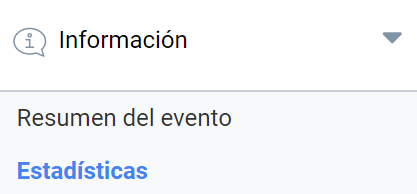
The statistics module lets you query income according to several criteria:
- Payment methods
- Payment receivers
- Event title
- Event ID
- Date or date range
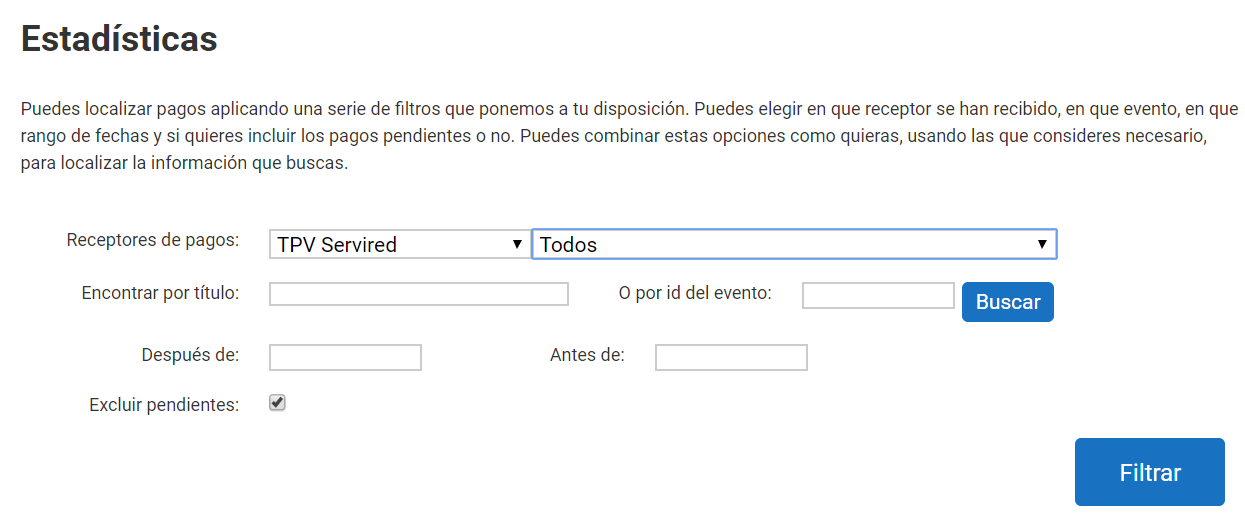
If you do not want to filter by any criterion and need the full list of published events, click the “Filter” button directly. You can also choose whether or not to include payments pending validation.
Filtering returns a list of payment receivers and the total amount collected by each of them for the event.

The “+” drop-down gives you information about the payments made:
- Event title
- Payer’s email
- Transaction identifier
- Amount
- Payment status
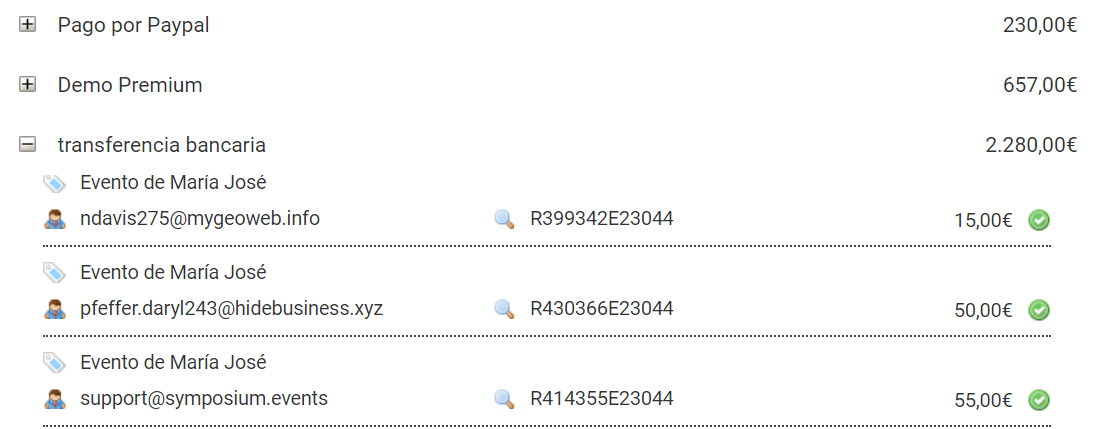
If you click the magnifying glass icon inside the details of a transaction, you will be redirected to the event payment management panel, where you can check the receipt of the operation in more detail.
The data obtained in this Statistics panel can be exported to Excel.