Assign payment receiver
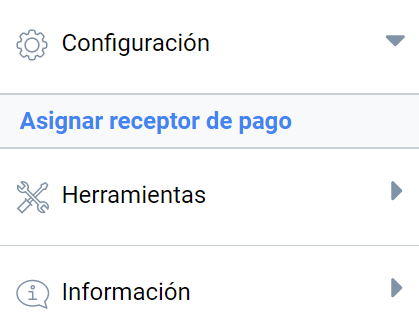
Any event with paid registration or product sales enabled must have a payment receiver assigned. That is, a bank account, PayPal account or card-payment terminal (TPV) in which to receive the payments. The platform administrator creates these terminals from the administration panel, and the financial administrator assigns them to a given event in the financial management panel, in the Assign payment receiver menu:
The steps to assign a payment receiver to an event are as follows:
- Find the event you want to assign the receiver to by its ID or by its title. Once you have selected it, click the drop-down menu with the text “Select a platform”.
- Then choose from the available platforms. The platforms can be: bank transfer, PayPal or TPV.
- Once the platform is selected, in the next drop-down choose the specific receiver that will receive all payments made through the previously selected platform. Then click the “+” add button.
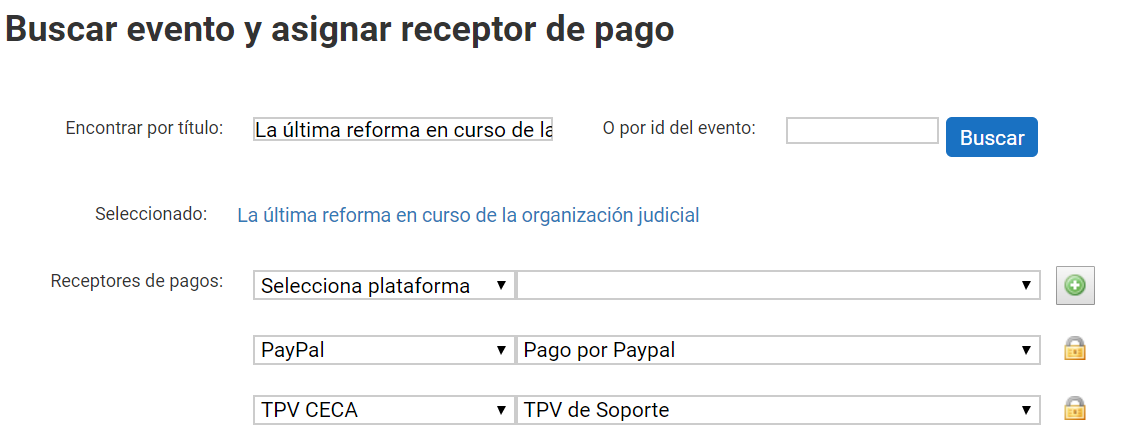
You can add as many payment receivers as needed. The tool will show them in a list.
Assigned events and events pending assignment
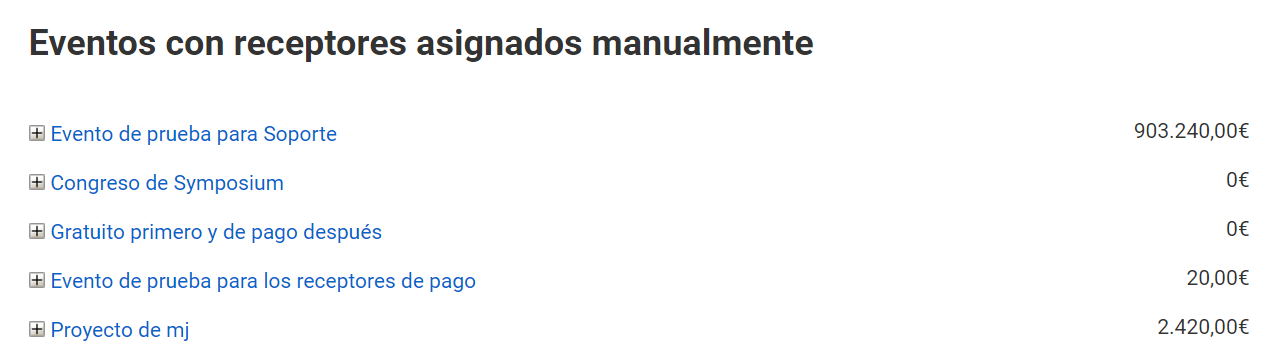
As well as assigning a receiver, a list of the events that already have receivers assigned is shown. This is useful to keep events that are in full swing and need new assignments more accessible.
A list of events waiting for assignment is also available, that is, events that have been configured as “Payment” but do not yet have a payment receiver assigned or, if administrative units are used, the events that have requested a payment receiver from a unit.
