Rubric rating
The Rubric rating method allows a greater level of detail when evaluating an Abstract or a Paper. Symposium offers full support for this method, which means a certain degree of complexity to configure it. It is a table grouped by Criteria in which, for each of them, there is a list of Levels to choose one from. This article explains how to configure and use this method.
Rubric ratings can be associated with all Tracks equally, or a separate one can be made for each specific Track.
Concepts
- Rubric name: a title, just a descriptor, for example “Grading scale”
- Rating levels: the score that can be given to each criterion. It consists of a name-value pair.
- Criteria and their descriptors: a list of criteria to evaluate and their weight in the overall evaluation of the Document. Within each criterion you must describe what each of the levels created earlier means.
There is a hierarchical relationship between Criteria and Levels. For each Criterion, the scientific documentation Reviewer will have to establish which level the researcher who submitted the Document has reached. Those levels mean points, and those criteria have a proportional weight in the final mark. That proportion is set by the Event Organizer or by the members of the Scientific Committee.
What the Reviewer, the Document evaluator, sees
To better understand how a Rubric rating works, we will show what users with the role of Documentation Reviewers, who are the ones who have to evaluate the works, see. This is done from the Scientific Docs > Received documentation menu, choosing between the Abstracts and Papers tab, depending on what has to be evaluated. The works will appear grouped by Track.
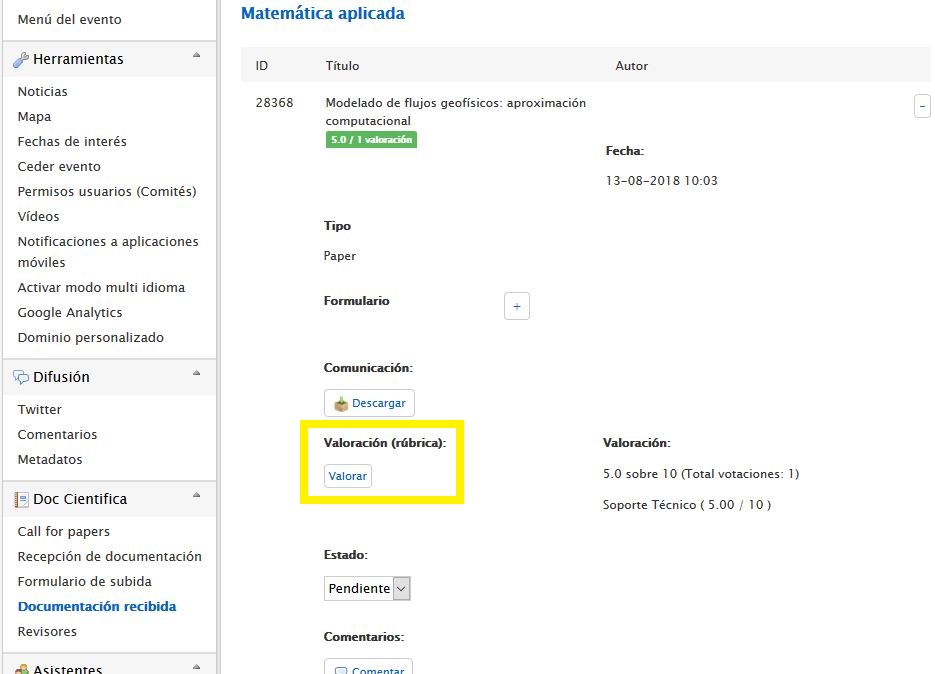
Find the work to be rated and click the button with the + sign on the right. A large form will then expand with data about the Document and the option to download it. Next comes a Rate button that shows a panel.
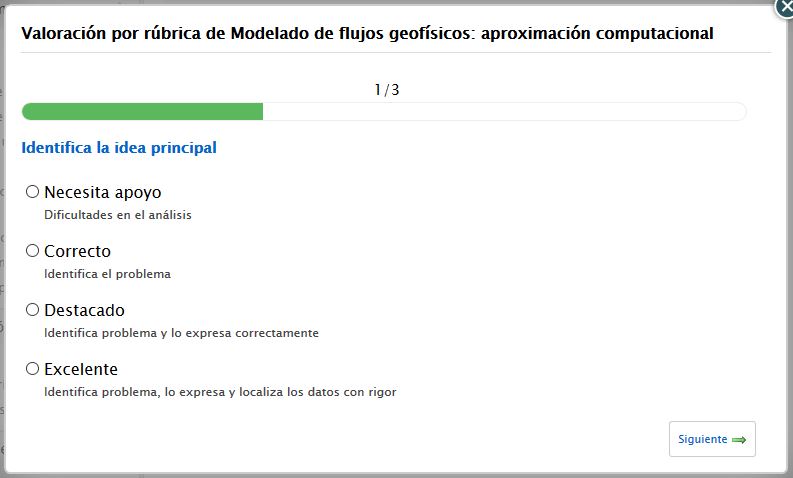 It is a wizard with as many steps as Criteria were set when configuring the Rubric evaluation. To move from one Criterion to the next, use the Next button, and you can go back to previous steps with the Previous button. In the last Criteria panel a Save rating button will appear.
How it is configured
A Rubric rating is configured in three steps:
- Identify the rating scheme and associate it with one or all Tracks
- Define the Levels that will be used to measure
- Define the Criteria that will be evaluated using the Levels and set their weight in the total
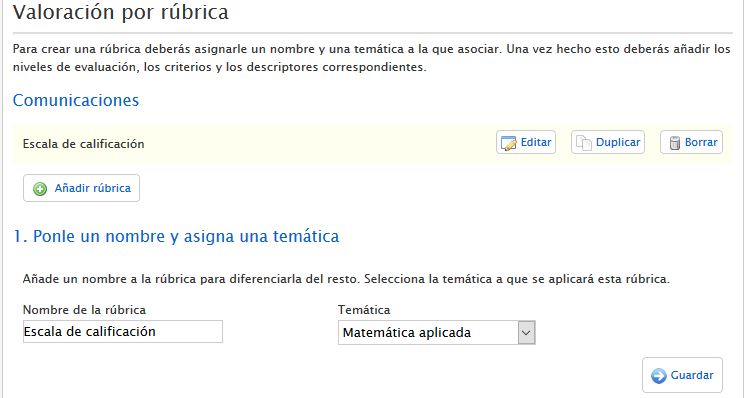
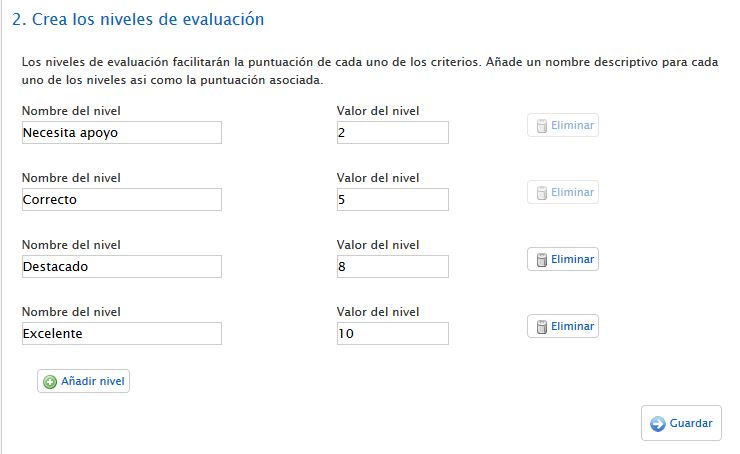
Rating levels
A Rubric rating must have at least two levels. The underlying principle is that for each aspect or criterion evaluated there must be at least two options, although there are usually more. Each level consists of a name or label and a numeric value.
Criteria and descriptors
The list of criteria and their descriptors is a detailed list of what you want to evaluate for each work, that is, which concepts can be evaluated and what the list of levels means for each of them.
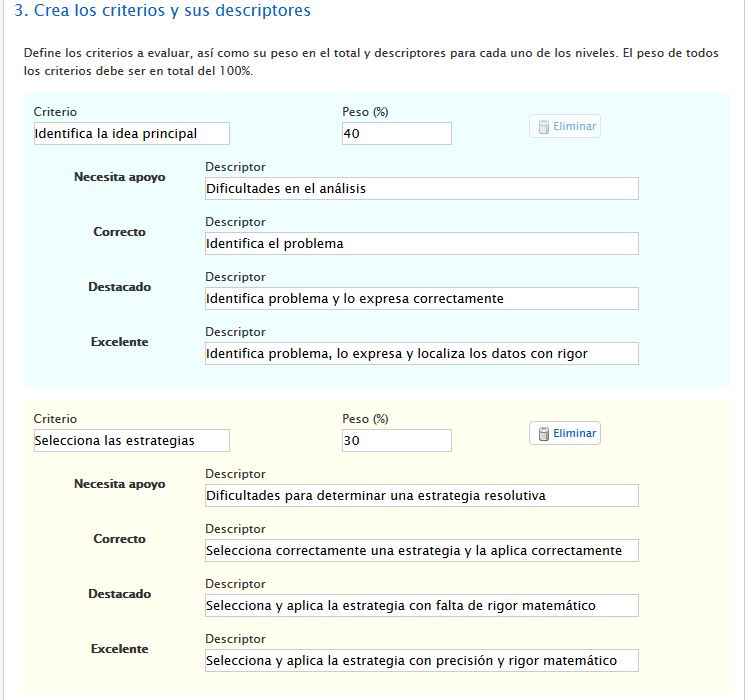 The total sum of the weighted values of all the Criteria must add up. If it does not, a warning message will be shown and the boxes where the values are entered will be flagged by turning their border red.