Reviewers
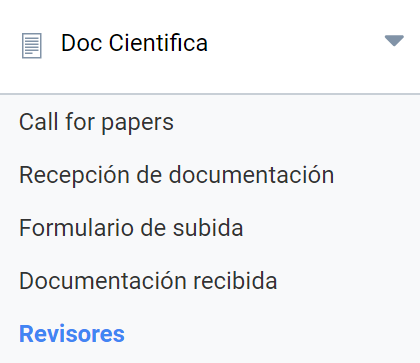
Symposium has a role defined for users who are invited to review and evaluate the scientific material proposed for the Event: Reviewers. Review and evaluation can be done by members of the Scientific Committee or by the Organizers. In some Events, however, you may want to assign a specific Track to a group of experts. These must be kept in a list for better management. This is done in the Scientific Docs > Reviewers menu.
A Reviewer may or may not be a user of the platform. If not, they must be sent an email invitation to register. The application lets you do this in a guided way.
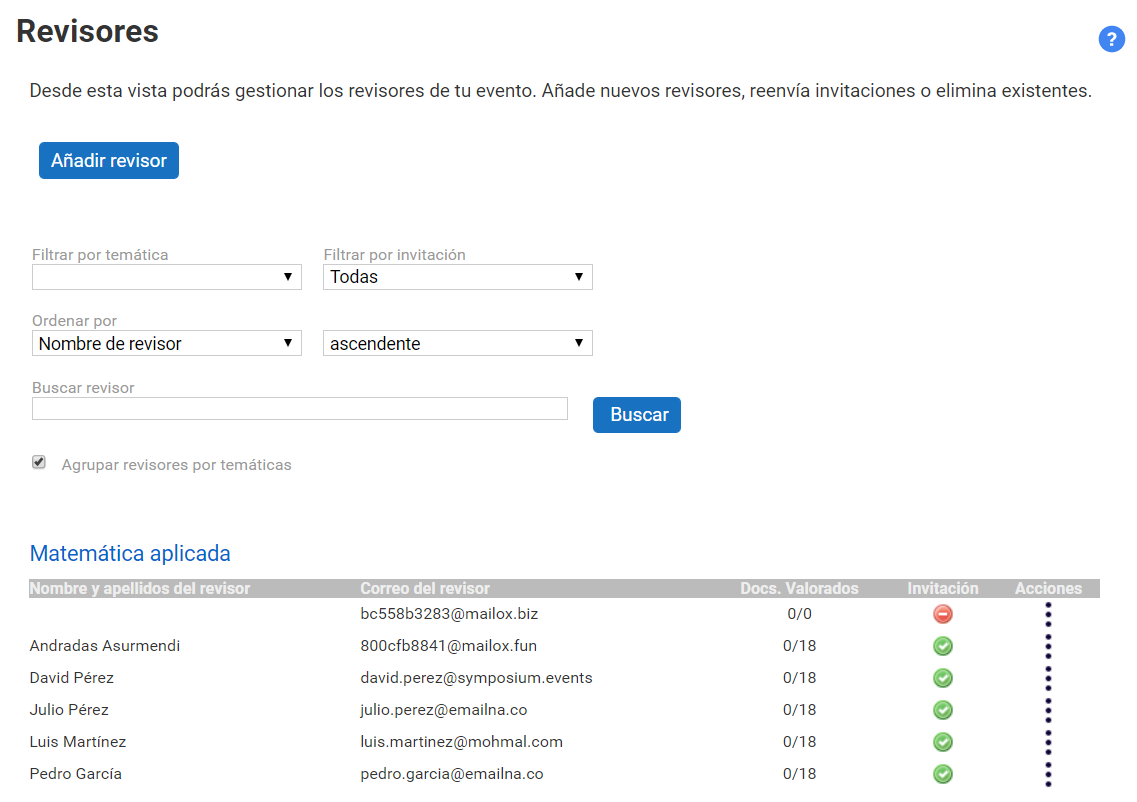
The Reviewers panel is structured in three sections:
- Reviewer registration form
- Tools to search for a Reviewer in the list, which can be long
- List of Reviewers, initially grouped by Tracks
Add reviewer
Three steps must be completed to add a Reviewer to the list:
- Select the Track or Tracks whose documents they will be able to review.
- Write an invitation email for those who are not yet users of the platform. When you invite someone who is already registered, this is not necessary because no email is sent to them.
- Type the Reviewer’s email address. You can add several Reviewers at once if they will handle the same Tracks. To do so, click the Add reviewer button. You only have to enter as many addresses as Reviewers you want to invite.
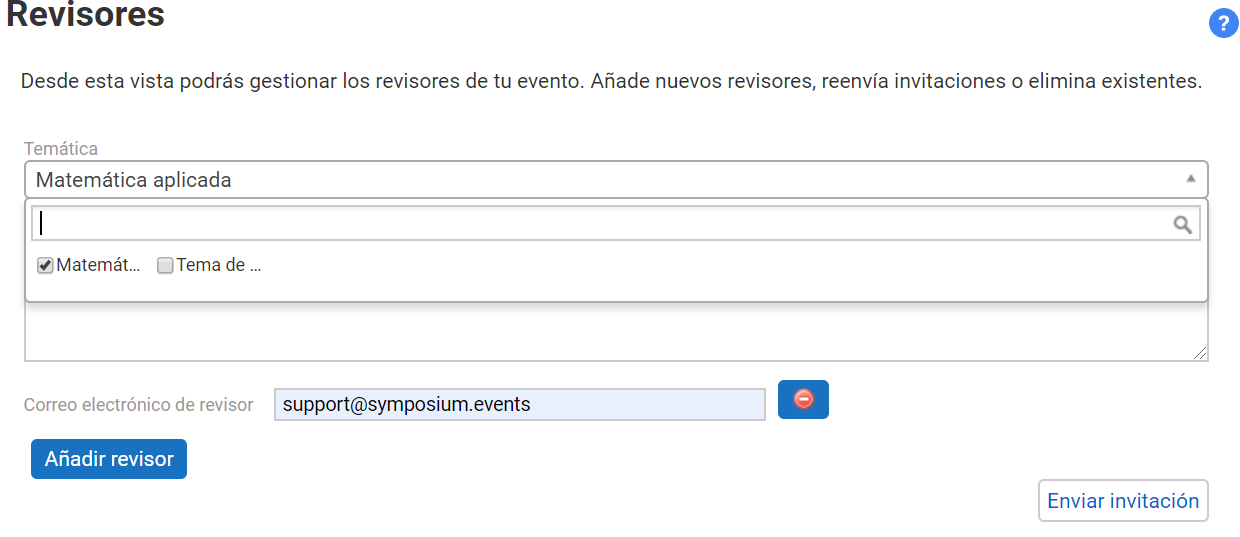
If a Reviewer email has been added by mistake, you can remove it with the round red button.
The Reviewer search
Sometimes the list of Reviewers can be long, and it becomes necessary to filter by one of the available criteria or to search directly for a reviewer by their email or by a piece of text that helps find them, whether from their name, their email or their Track.
List of Reviewers
Initially, the list is organized by grouping Reviewers by the Tracks they are assigned to. You can change this by unticking the Group reviewers by topics checkbox, and you will get a flat list of Reviewers.
For each Reviewer the following is shown:
- Name (it is not entered here; Symposium takes it from their user profile after they have registered). If it does not appear, it is because the Reviewer has not yet registered as a user of the platform, perhaps because they have not seen the invitation.
- Rated documents: how many documents, Abstracts or Papers, the Reviewer has rated, also showing the total number of documents assigned to them.
- Invitation status: an image, red if they have not yet registered, green if they have already accepted the invitation by registering as a user or if they were already a registered user.
- Actions: a menu with at least one option to Delete the Reviewer from the list. If a Reviewer who has already made ratings is deleted, those ratings will also be deleted.
When the list is too long for the management web page to be manageable, it is split into pages, showing which page is in view and how many there are.
What someone invited to be a Reviewer has to do
When an Organizer adds scientific documentation Reviewers who were not previously registered as users of the platform, they receive an invitation email with the text the Organizer has written in the box provided for that purpose. In addition to that text, the email automatically includes information for the invitee about how to register.
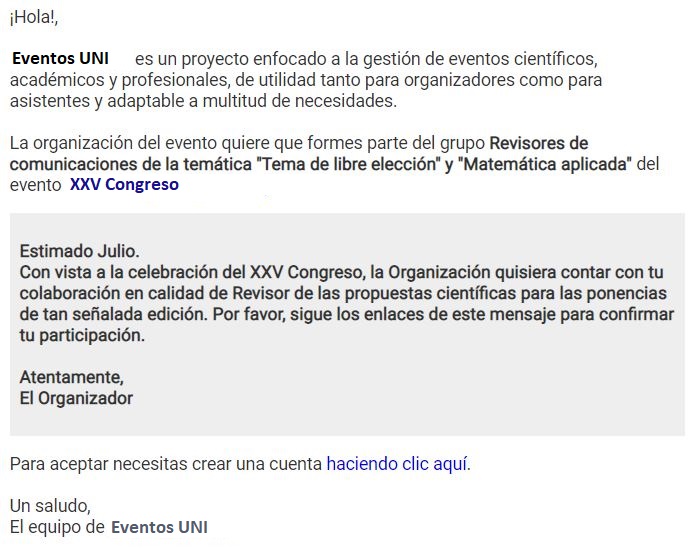
To register on the platform, they must click “haciendo clic aquí” (“clicking here”) and fill in the form that appears. As soon as they do so, they will have accepted the invitation.