Call for Papers
A Call for Papers (CFP) is the call for contributions usually issued for academic events. If you want to send a notice or call about submitting documentation to your event, you can use this section, found in Scientific Docs > Call for papers.
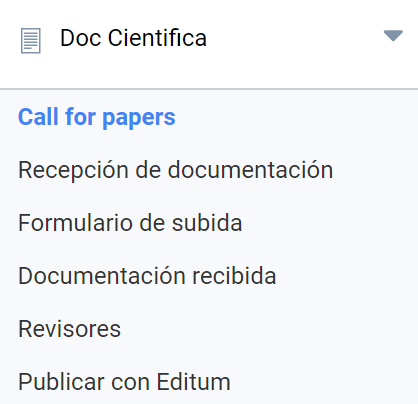
The process has three steps:
- Choose recipients
- Select the language or languages and, where applicable, which one each user will receive the CFP in.
- Review the draft and send the call.
Choose recipients
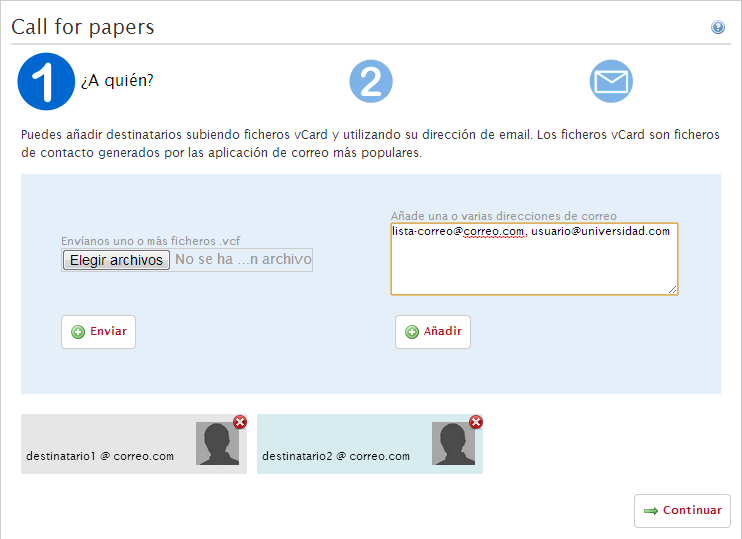
From here, first indicate who you are going to send the notice to. There are two ways to do this:
- upload one or more vCard files with the recipients’ contact details (vCard files are a standard supported by most email and address book applications, which can export to and import from that format):
- type their email addresses separated by commas, or type them one by one on successive lines.
Once all the recipients have been added, click “Continue” to go to the second step.
Select language
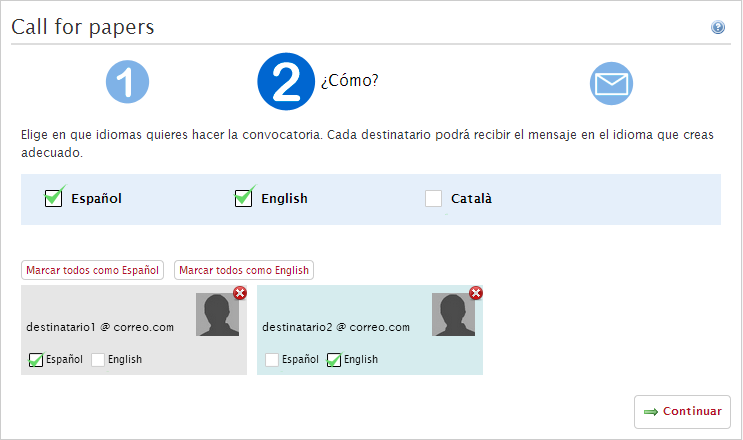
Now you can choose the languages in which you want to address the request to the recipients. All the languages available in Symposium are listed. You must choose which ones you will send versions of the message in.
If you tick only one language for this announcement, click Continue to go to the third step.
If you decide that the Call For Papers will be sent in two or more languages, you will have to indicate which version each recipient will receive. Initially, the whole list of recipients is shown and for each one there is a card with email, photo (if it is registered in their Symposium account) and checkboxes to indicate which language they will receive. In addition, there will be as many “Set all as [language]” buttons as languages you have chosen, in case you want to mark all of them with one language and then review.
When everything is ready, click Continue to go to the third step.
Review the draft and send the call
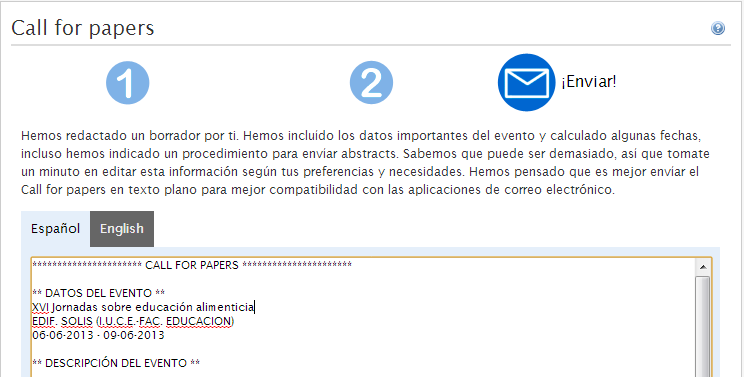
In this last step, you will get a draft of the message that will be sent to the recipients in each of the languages you have selected. You can edit it if you need to.
When you consider it finished, click the “Send” button.
Once the Call For Papers has been sent, when you return to this menu, in step 1 you will have a record of the recipients of that mailing in a list called Call for papers archive. If in the future you want to send a new Call For Papers to the same recipients, with this template you will already have them selected with their corresponding language and you will be able to change them if needed.