Ways to broadcast your event online
Broadcasting events online gives everyone who cannot attend in person the chance to take part from anywhere in the world, whether as an attendee or as a speaker. It is also an alternative to cancelling events due to mobility problems or force majeure.
How to broadcast your events live
We suggest three alternatives to reach your audience in real time, easily and securely:
- YouTube
- Google Meet, Google Hangouts or Zoom
- Specialized providers
YouTube
It is a very suitable medium for broadcasting a talk or a demonstration. Attendees can still take part by writing comments. With YouTube, live streaming is very simple:
- Create a YouTube channel.
- Click CREATE, at the top right, and then GO LIVE
- Configure the option you want to use:
- Webcam: you will be able to stream live directly using your computer’s webcam.
- Stream: while you are streaming live, YouTube will transcode the video into lower resolutions, regardless of the Internet connection. You can find more information about this streaming option here
- Manage: you can schedule your stream in advance, select privacy options and set up a backup of the stream, so that all attendees know when the event will be broadcast.
Google Meet, Google Hangouts or Zoom
These media are geared towards participation. They are ideal for holding events in which several people speak or have something to present, whether they have a camera and microphone or take part through the integrated chat.
These videoconferencing services require an organizer with a user account (for Hangouts any Google account will do, and Meet requires a business account).
When you create a videoconference room, Google and Zoom provide a web link, which is what attendees need.
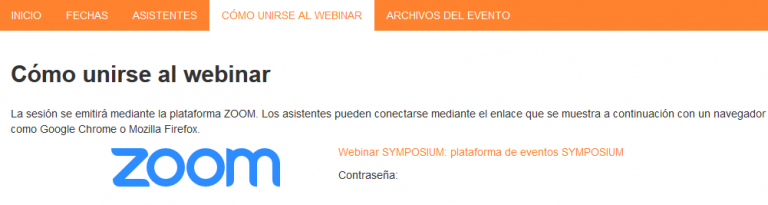
Publish the link in some section of your event website. You will probably want to put it in the main Description, because that content is what is shown on the home page. With Symposium you can decide whether the link is made public or is only visible to confirmed attendees who have logged in to the event page.
You can also send the invitations by email to attendees using the Symposium tool Attendees > Send email attendees.
Symposium provides organizers with Zoom meeting rooms to broadcast events online. With Zoom you can also record on video everything that is broadcast. Afterwards you will want to share that content on the event website or spread it on social networks, a blog or a YouTube channel. Find out how you can broadcast your events with Zoom from Symposium here.
Specialized providers
In addition to these videoconferencing and live streaming platforms, you can find a multitude of professional streaming service providers on the Internet. There are companies that provide cameras, lighting and audio systems for a professional production.
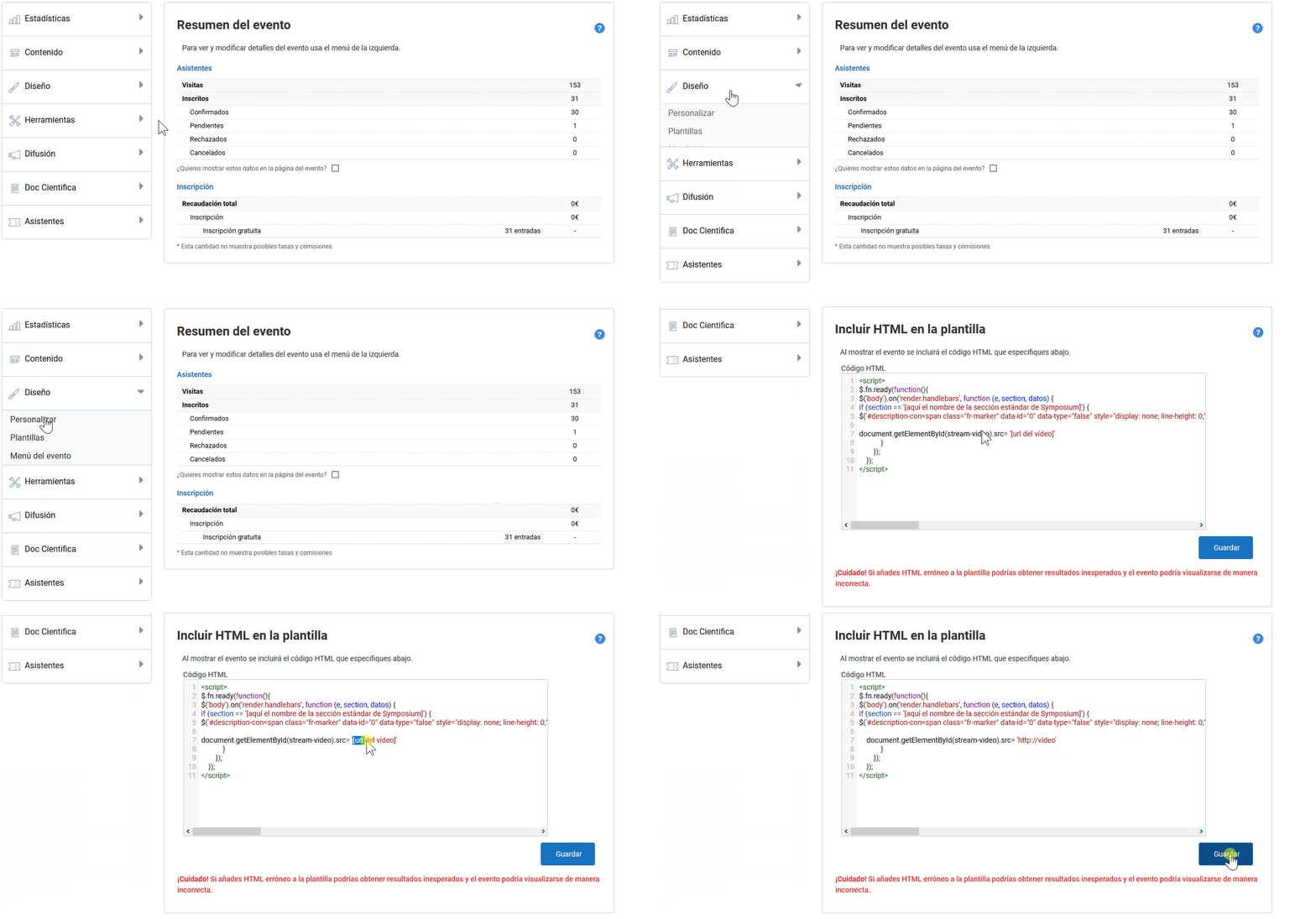
How to embed the broadcast in the event website
The streaming service provider you choose will give you an HTML code to embed in the website of your choice. In Symposium you can add your live broadcast to the event home page or host it in a specific menu.