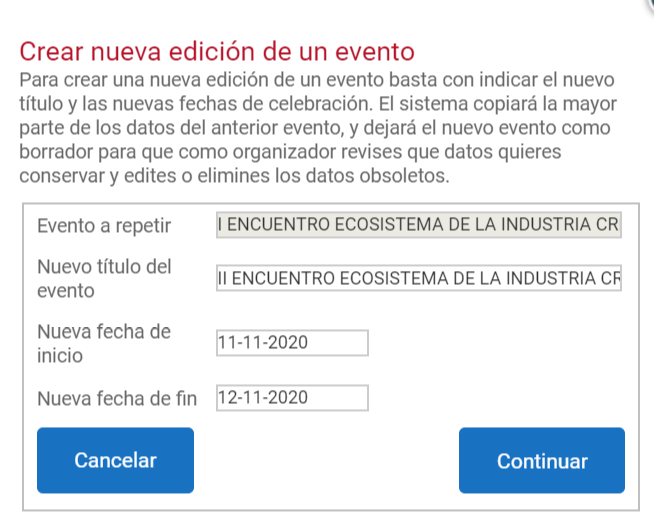
Duplicating an event
The option to duplicate an event saves the organizer the work that creating a new one from scratch and adding content to it may involve.
Sometimes the simplest way to create a new event is to create a new edition of a previous one. This usually works very well for events that are held annually and that generally keep the same contents and sections.
Duplicating an event actually creates a copy of the original with a different URL and ID. The only things not cloned are the list of attendees, the scientific documents received, and the users of the various committees and/or paper reviewers.
How do I duplicate an event?
First of all, you must be a user with Organizer permission.
Users who are not registered as Organizers on the platform will not be able to duplicate events, even if they are the owners of the event or members of the Administrator committee.
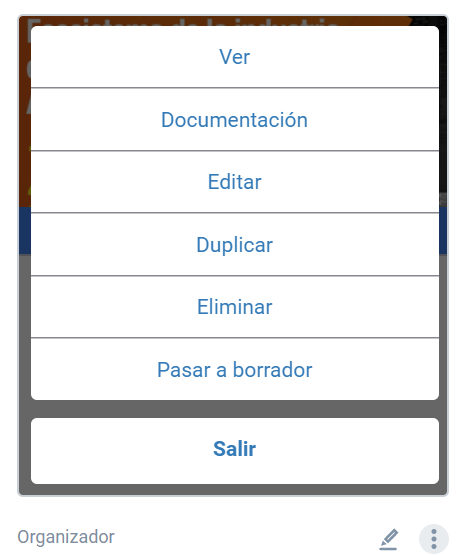
It must be done from the organizer menu options found on the event card itself:
Enter a new title for the event and specify the creation dates. Once you have it, click “Continue”. The new event will then be created in draft mode.