Organizers
The organizers editor is very simple and lets you register the Organizers that will be shown in the section of the same name on the Event website, as well as in a widget that usually appears on the right-hand side of the Home page of the Event website. This feature can be found in the Content menu group. Organizers can only be added one at a time.
The panel initially shows the list of existing Organizers, if any. Clicking the Add organizer button opens a form to fill in.
If the organizer is already registered as a user of the institution’s platform, just type their email address and click Search organizer, and the record will be filled in automatically. Otherwise, it must be filled in by hand. There is more information about the editor here.
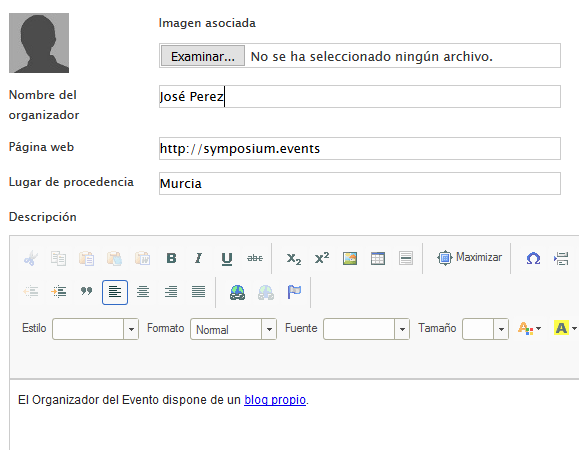
The Web page field is stored in the database in the user’s record, but it is not shown on the Event website. If a link needs to be shown, use the text editor that allows you to add further details about the Organizer.
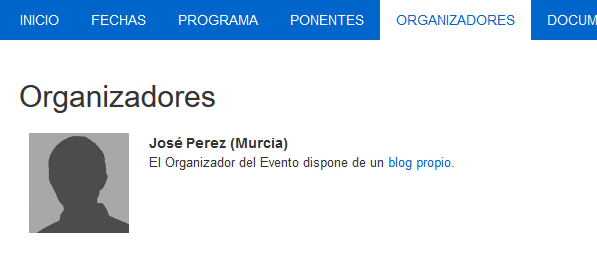
With the data in the previous image, you get a representation like this on the front end of an Event website: