Waiting list
Quite often, more people try to attend Events with limited capacity than are admitted. The capacity limit can be set generically for the whole Event and also specifically for each Registration type configured. It is also common, in these situations, for some attendees to withdraw for a wide variety of reasons, which forces Organizers to reopen the registration period or to look directly for interested people who were left without a place. Symposium supports this management through the Attendees > Waiting list menu.
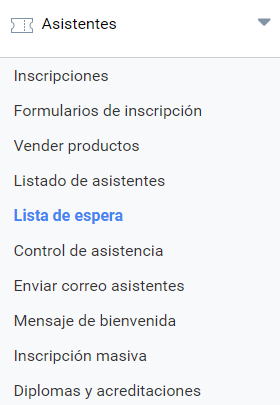
Initially, all Events have waiting list management disabled. The Organizer can enable it from this panel by ticking a checkbox. When doing so, an occupancy table of the Event appears in the same panel. If any Registration type is sold out, the occupancy indicator is highlighted in orange.
Further down, the panel shows two sections:
- Search and filters;
- List of people on the waiting list
Process flow
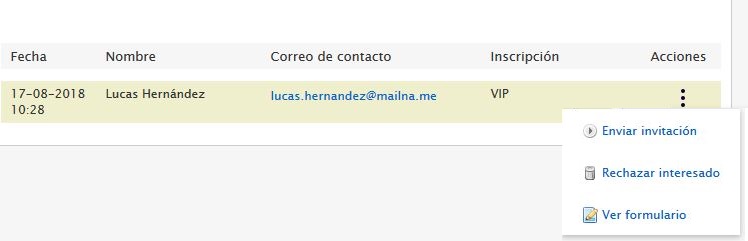
The process flow moves to the management application, where the Organizer can see the list of people on the waiting list with date, name, email and Registration type. There are several actions that can be taken regarding the people on the waiting list:
- Send invitation: the person is notified by email with the question “Are you still interested?” and two answer buttons. If the recipient chooses the Yes button, they are redirected to the ticket purchase form on the website, already filled in with their name and email, to complete the Registration.
- Reject candidate: simply removes the person from the waiting list without sending them any message.
- See form: expands some additional fields with what the applicant entered in the Registration form
What the website visitor sees
When an Event has Registrations with full capacity, they are no longer available for purchase, unless the Waiting list is enabled. If it is, the visitor can still continue their provisional registration through an “Enter the waiting list” button below a “Tickets sold out” text.
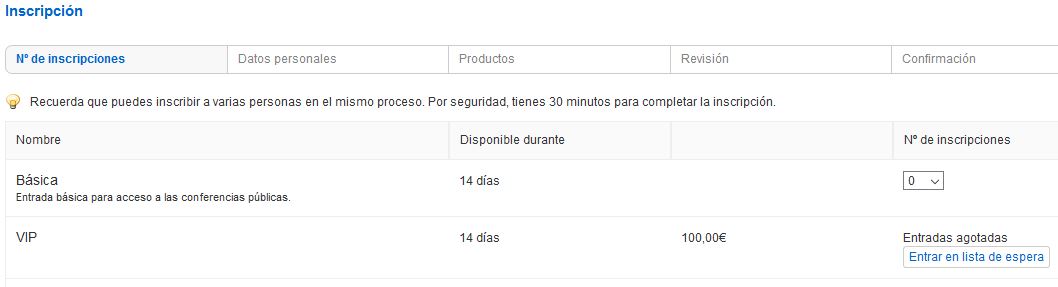 The process is similar to a normal Registration: a name and contact email are requested. People on the waiting list are not asked for any payment, even if the Registration had a price.
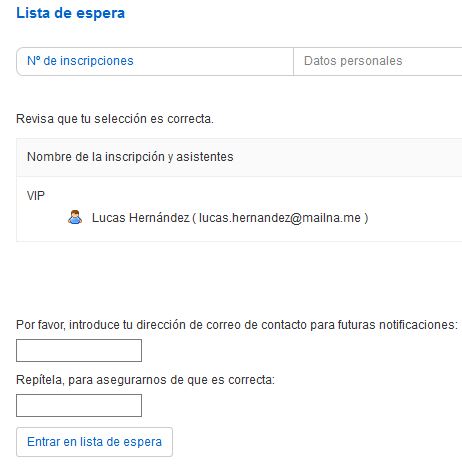
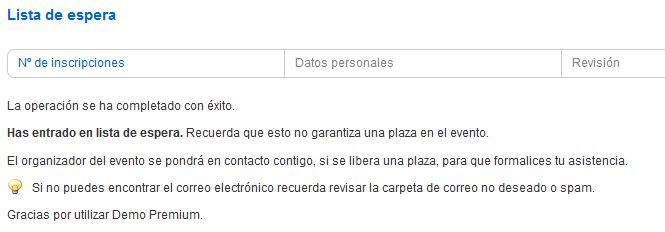
When the visitor completes the waiting list registration, they receive a confirmation message warning them that their attendance is not guaranteed, since it depends on places becoming available.