Discount coupons
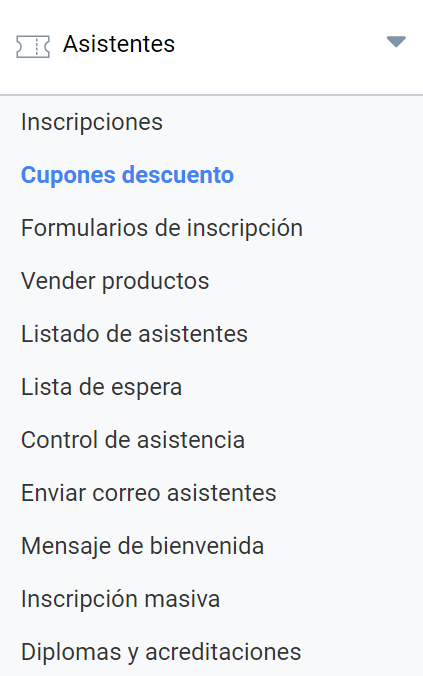
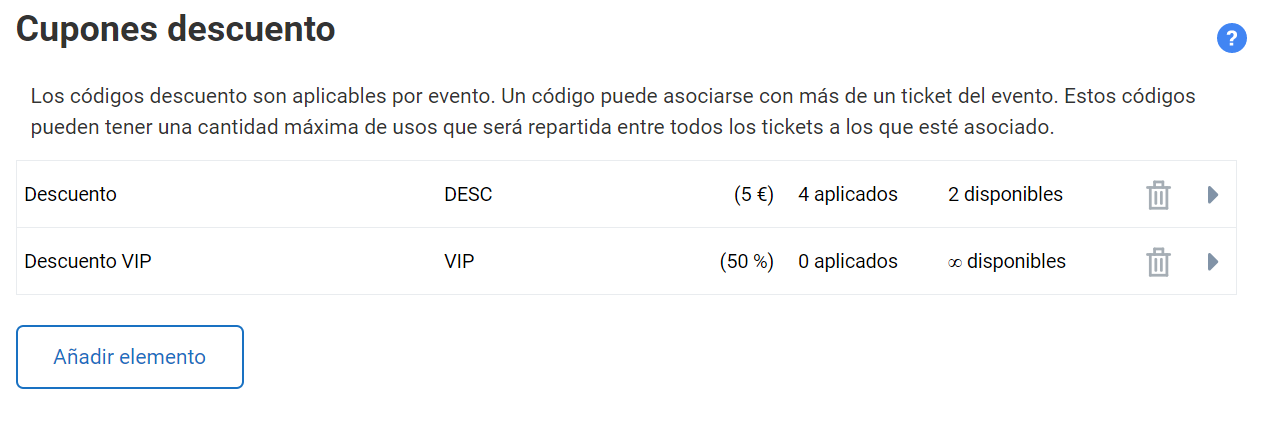
Event Organizers have a discount coupon system that can be applied to paid registrations. This tool is located in the Attendees > Discount coupons menu.
The event organization may often want to give a group of attendees a discount on the registration fee. You can create discount coupons for a fixed amount or coupons that reduce the registration price by a percentage.
It is an essential requirement that a responsive template has been applied to the event.
Coupons
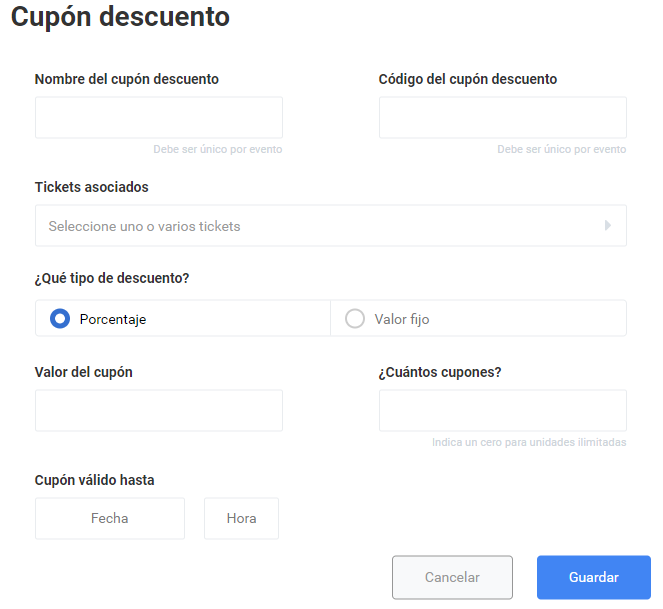
Each discount coupon contains:
- Descriptive name: used by the Organizer to identify the coupon internally. There cannot be two coupons with the same name within the event.
- Code: a set of uppercase letters and/or numbers. This is the code attendees will use to register for the event and get the discount.
- Associated tickets: each coupon must be associated with at least one paid registration. It can also be associated with more registration types.
- Associated discount type: the discount can be a fixed amount or a percentage.
- Coupon value: depending on the discount type, specify the amount or the percentage to be deducted from the registrations associated with the coupon. Do not enter symbols, neither currency nor percentage.
- Expiry date: you can set a deadline for the validity of each discount coupon. If left blank, the coupon will not expire and can be used until the event’s registration period closes.
- Stock: you can specify how many coupons are available. If you want unlimited coupons, enter a zero (0).
Requirements for creating discount coupons
- The event must have a responsive template applied.
- Registration for the event must be in Payment mode.
- At least one paid Registration with an amount greater than zero is required, since discount coupons cannot be assigned to free registrations.
If you create two or more discount coupons, they must all have different names and codes. No coupon can have the same code as another, and no two coupons can have the same name either.
If a registration is associated with two or more coupons, users can only benefit from one of the discounts.
Applying discount coupons
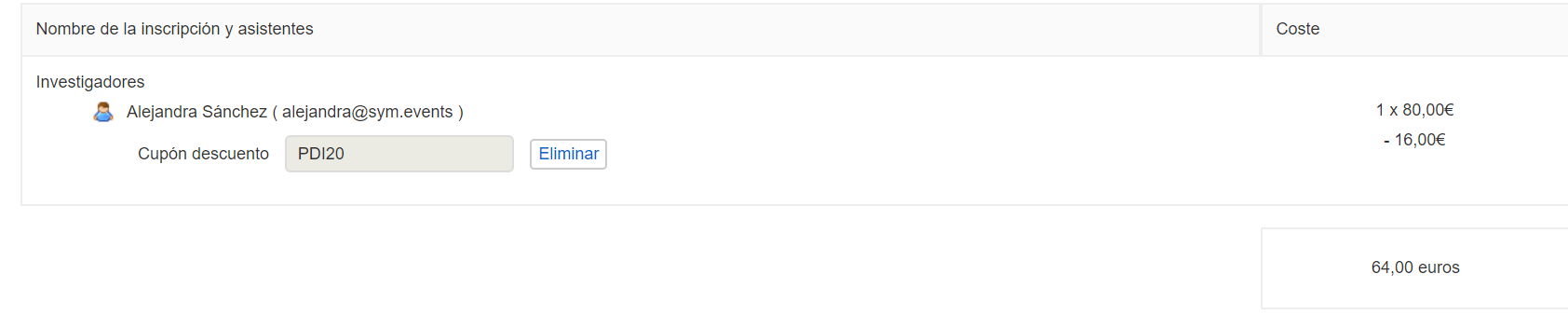
Users who have a discount coupon can use it in the last step of the registration process.
Stock and cancellations
As an Organizer, you can check how many coupons have been used and how many are still available. For coupons with limited stock, when an attendee cancels their registration, the coupon they used returns to the stock of available coupons and can be used by another attendee.
Economic panel
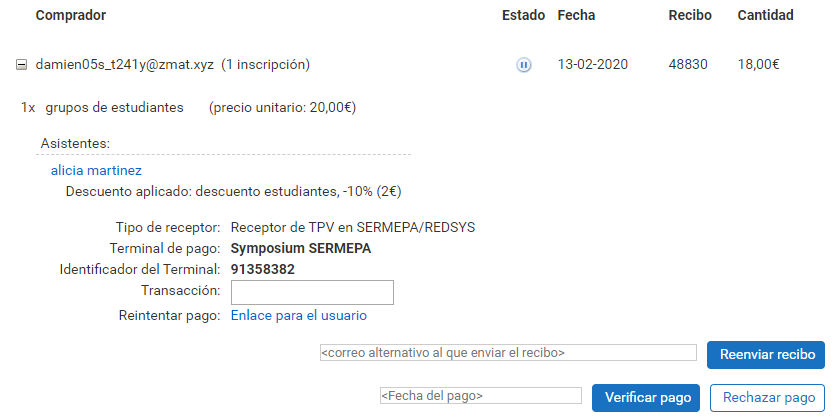
The Financial manager can check from their Panel which attendees have used a coupon and the discount applied. This discount will also be shown on the invoices issued, when that Symposium feature is used.