Enable multi-language mode
You can read the following article for more information about multi-language support
Symposium makes it easy to create and manage multi-language projects. The idea is that a project is initially created in one language and the author decides whether they want its website to have versions of the content in other languages. Symposium supports (in alphabetical order of their Spanish names) Catalan, Spanish, English, Italian and Portuguese.
Multi-language support can be enabled in the Tools > Enable multilanguage menu.
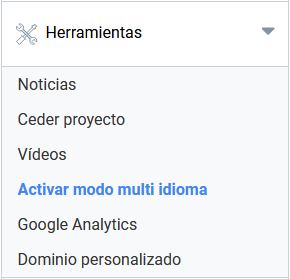
Enabling this mode makes it possible to edit the project’s content independently in each of the enabled languages. Visitors will be able to see the website in the different language versions you have created, with the content you have entered in each of them.
To enable it, tick the “Do you want to enable multi language mode?” checkbox. When you do, new options will appear on that management screen.
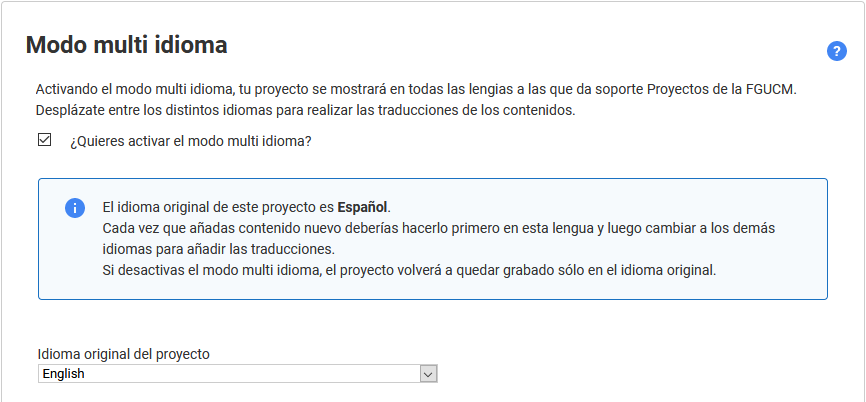
The multi-language mode screen itself also has a detailed description of what enabling this mode involves and how to modify its content.
Editing the project in other languages
Once multi-language mode is enabled, the changes you make to the project will only take effect for the language you are working in at that moment. The versions in other languages will not be affected, and you will have to decide whether to create content in them for that section. Wherever you have not written content in a secondary language, Symposium will always show the content of the main language.
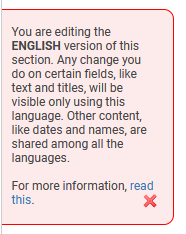
To make editing and control easier, from this moment a notice will be visible in the right margin of the management application. This floating box will tell you that the changes you make will only be visible in the version of the website in that same language. This notice will also appear on the “Save” button shown in each section you modify.

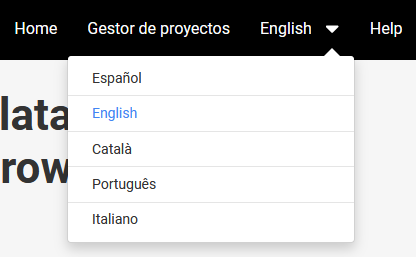
From now on you can edit your project for each language separately. To switch language, use the menu at the top right. You need to write the project texts in each section for each language.
IMPORTANT: Generic information, such as dates, will be saved automatically in all available languages. This is not the case for text content, such as the main description or new pages.
Project language settings
First, you must choose the original language of the project. Then, in each section, write the content in the main language. Once the main language has been set, it should not be changed. This is important. You may have content in several languages, one of which (the one you chose at the beginning) will be the main one.
Changing the main language will not change the texts. The main language selector only serves to indicate which is the main language of the event’s content. You can therefore change the main language, but you will also have to replace all the texts one by one with the versions in that other language, because otherwise the content in the previous main language will still appear.
Next, you can hide languages that are not available in the project, either automatically or with manual control. Certain languages can be hidden from the event menu. It is normal for a project to be available in only some of the languages Symposium supports and, in fact, other languages may be supported in the future.
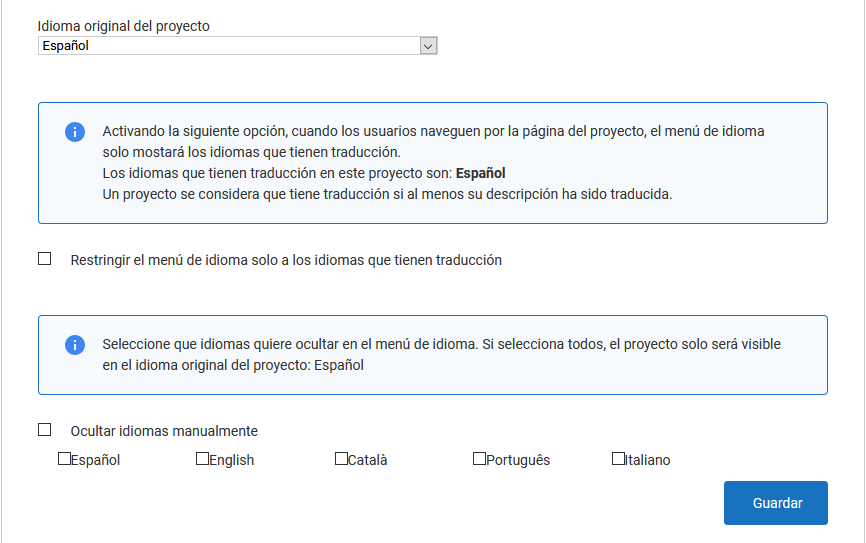
Automatic mode checks whether there is any content saved in any of the secondary languages. If there is, it shows the version of the website in that language. If not, the language selection menu will not offer it as an option. Manual control is usually more advisable. It lets the author decide which languages are available for the website and which are not, regardless of whether they already have content.