Donor list
Here you can see the list of donors who have contributed financially to the project. You can sort it by name or donation date, or apply filters with the search fields to see only a subset of them. It is especially useful for checking the payment status of each donation.
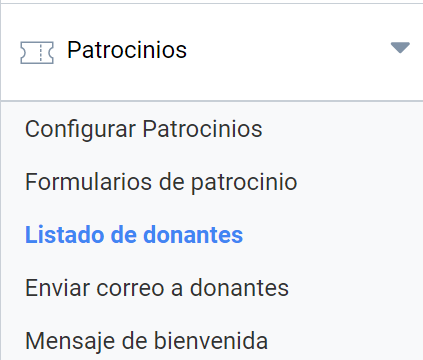
The attendee list panel
There are three sections in this panel:
- Filters to find specific donors or groups of donors
- Donation status (confirmed, rejected or pending)
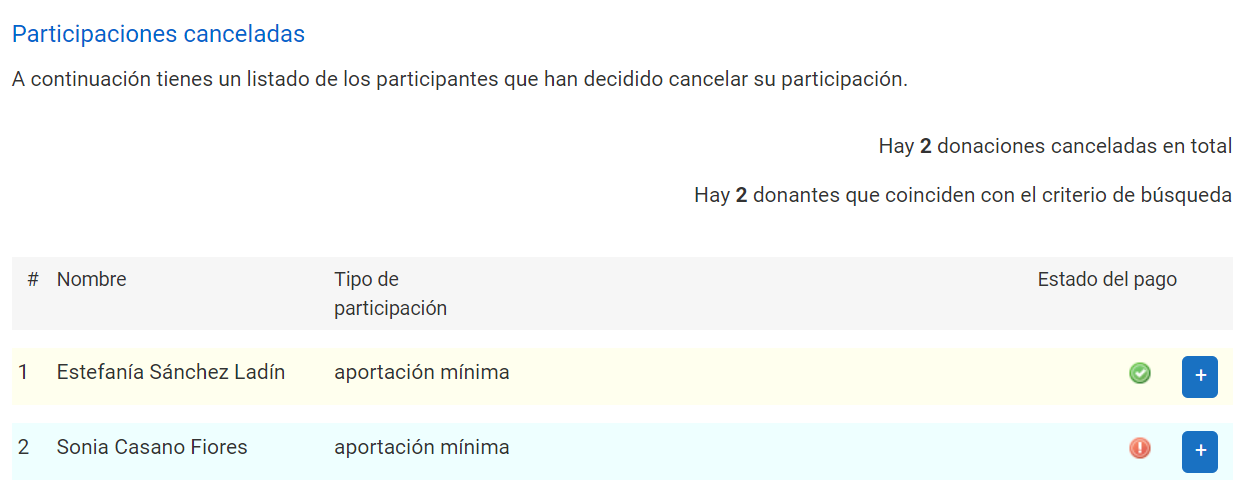
- Donations cancelled by donors from their private panel
Filtering the attendee list
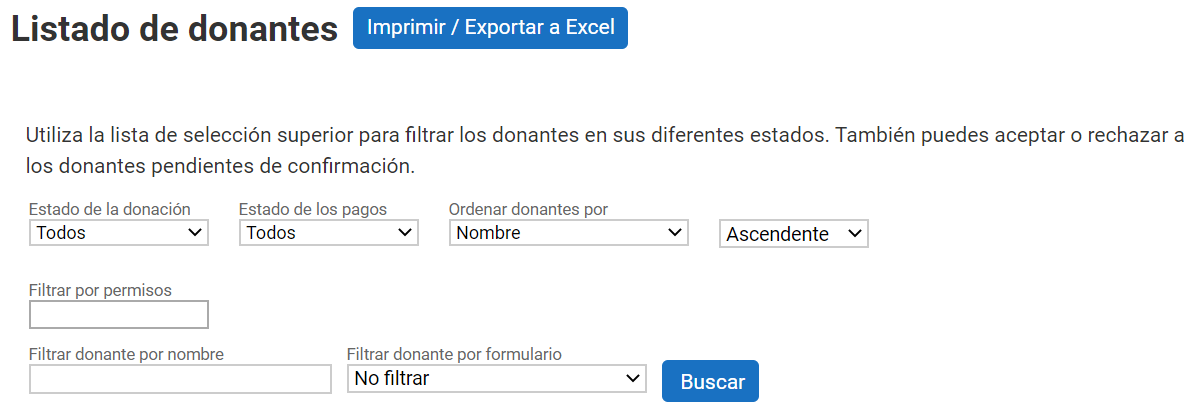
In the header of this filter box there are buttons for exporting the list, both in printable format and as a spreadsheet.
Information available in the donor list
The donor list is organized so that at a glance you can identify the total number of donations, the name and the status of the participation.
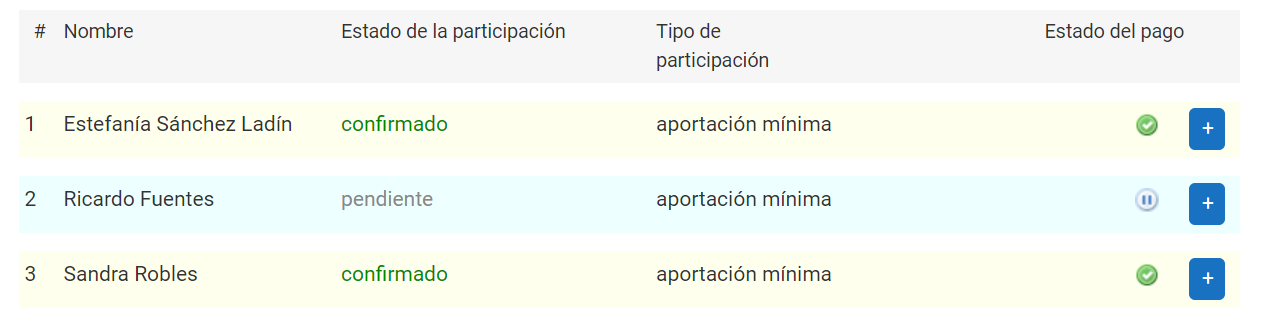
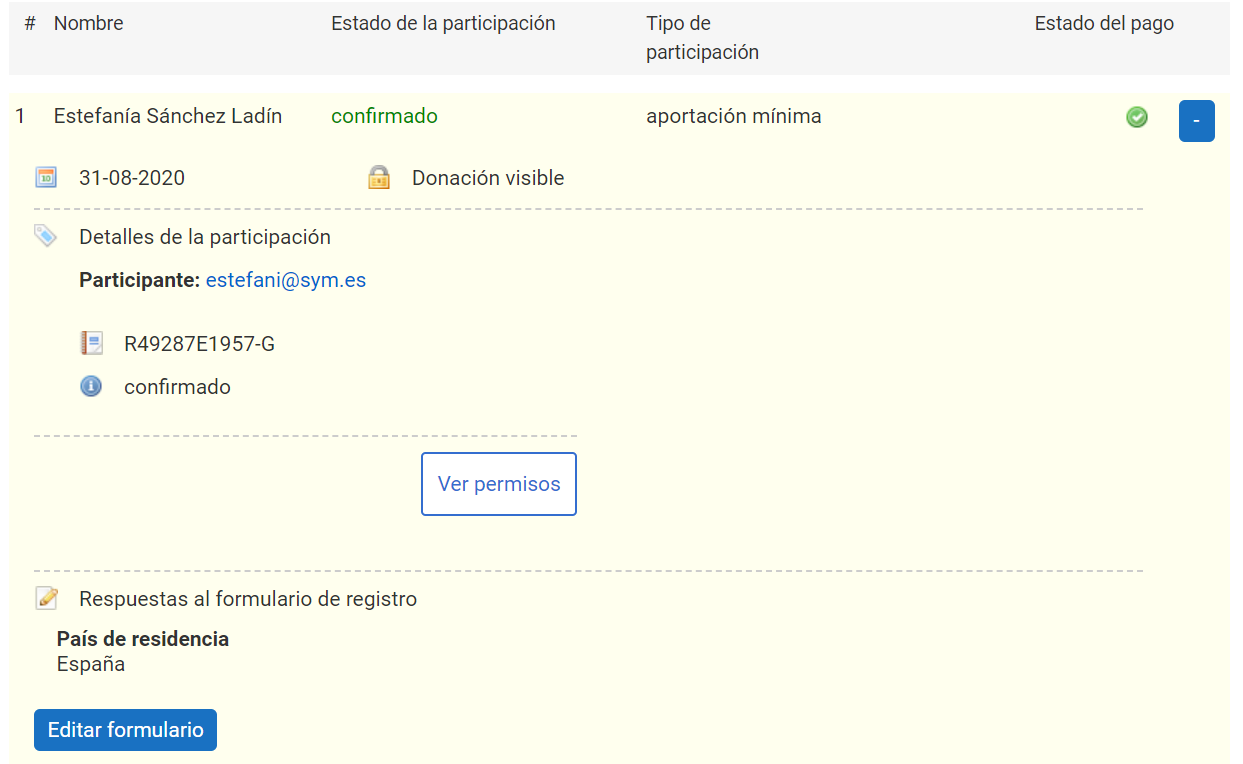
Clicking the icon with the + symbol expands the additional information about a donation. It shows the date on which it was made and its visibility. The details show the contact email of the user who made the donation, the transaction identifier and the payment status.
Finally, the donor’s answers to the sponsorship form are shown, if fields have been customized, and there is even the option to modify those answers from this panel.
Cancelled/rejected donations
Donors can cancel a donation themselves from their private panel, and the financial manager can also reject the payment of a donation and so invalidate it. Cancelled or rejected donations are grouped in a section separate from the other pending or validated donations.
Exporting the information
Click the “Print/Export to Excel” button to print the donor list, or to export it in Excel format to share it or keep a copy.
Using this option opens a new browser tab in which you can indicate which fields you want to include in the export. After selecting how you want to share it, click “Export to Excel” or “Print” to perform the desired action.

Meaning of the icons
The donation list shows different icons indicating the status of a donation.
 Pending: the payment of the donation has not been made, so it remains pending.
 Accepted: the payment has been made by the user and validated.
 Cancelled: the donation has been cancelled by the user.
 Rejected: the organizer has rejected the user’s contribution to the project.