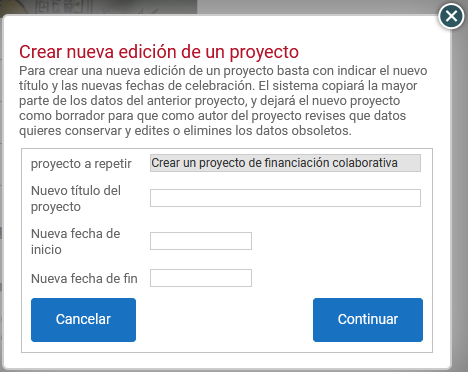
Duplicating a project
The option to duplicate a project saves the author work when they need to create projects that share structure and content. It also makes it possible to have one or more unpublished projects configured with certain content and participation levels, as “templates” from which to create projects that will actually be published.
Duplicating a project creates a copy of the original with a different URL and ID. What is not cloned is the list of donors, their details or the payment data.
How do I duplicate a project?
First of all, you need to be a user with project Author permission on the platform.
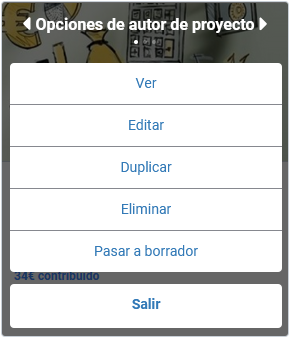
Duplication is done from the options of the Author menu, which are on the project card itself:
Enter a new title for the project and specify the dates for accepting donations. Once you have done so, click “Continue”. The new project will be created in draft mode.