Flow diagram
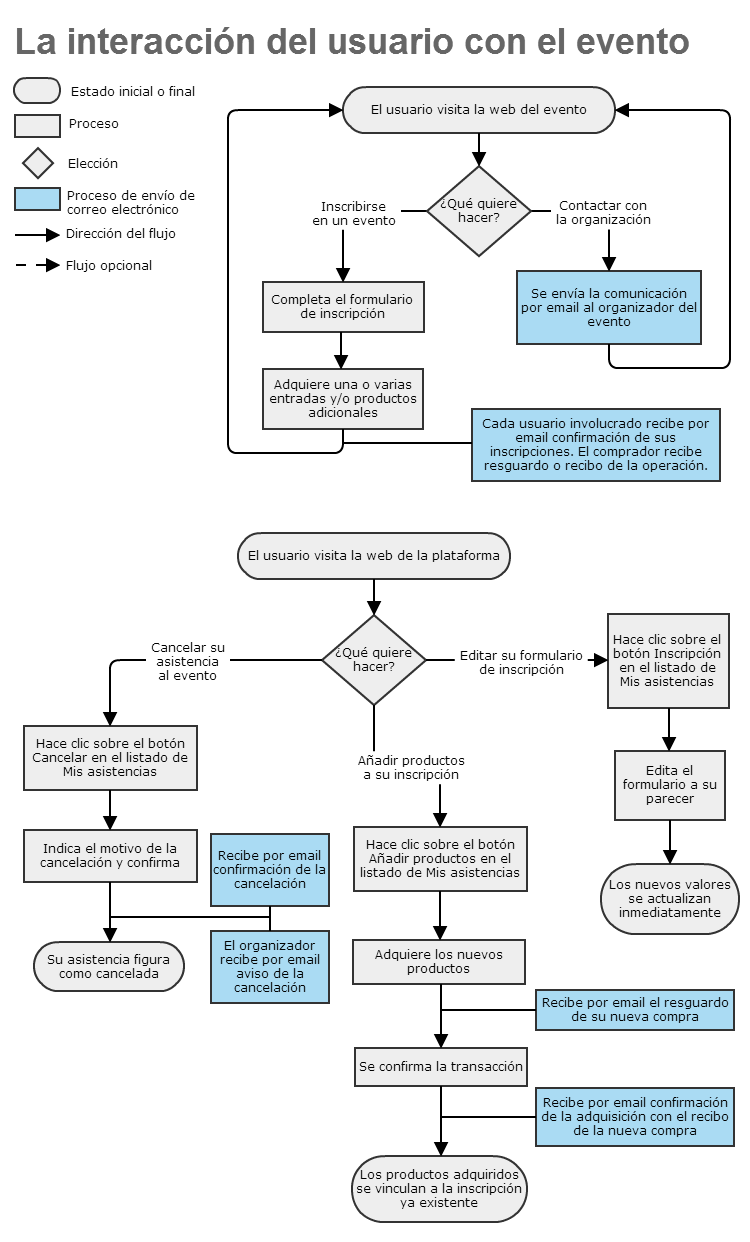
Registering for an event
The process of registering for an event is described in this article.
Contacting the organizers
It is often useful for a user to be able to contact the organizer of an event. To make this possible, the tool provides visitors to the event page with a contact form that sends an email to the event organizer, either to their contact email or to the event’s contact email address if one is configured.
Editing the registration form
The answers given in a registration form can be modified. To do so, just go to our attendee panel and from there click the Registration button for the corresponding event.
Adding products to a registration
After registering for an event, we can extend the registration by adding products on sale. This process can be started in two ways: using the link in the email confirming our registration, or using the Add products button in our attendee panel.
Cancelling an attendance
You can cancel your attendance at an event from our list of attendances.