Economic administrators
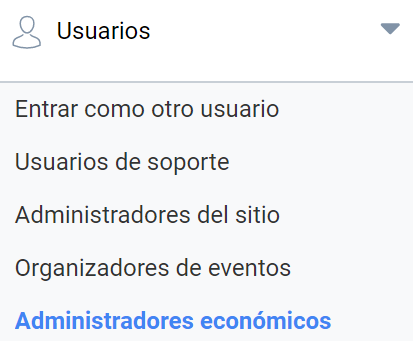
In the “Economic administrators” section you can add users with this profile, who can only access the Financial management panel, located at the foot of the page once they have logged in. From this same section you can assign Economic administrators to a specific Administrative unit or create a new one.
Adding Economic administrators
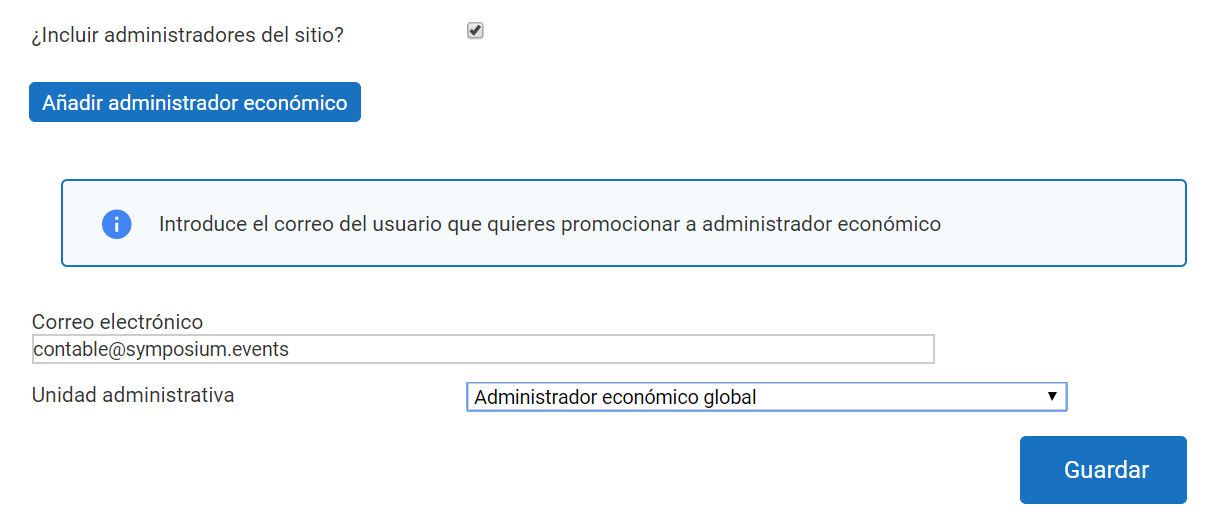
Adding Economic administrators follows the same process as adding users in the other sections. As a platform administrator, you have access to the list of Economic administrators, from which you can remove users or add new ones.
A Site administrator can also act as an Economic administrator. For this there is the “Include site administrators?” check box.
Types of Economic administrator
Adding an Economic administrator offers some options to adapt to different organizational structures. In general, there are two types of Economic administrators:
- Global economic administrators: they have access to all events and to their financial management.
- Economic administrators of an Administrative unit: they only have access to the set of events that are, in turn, associated with that Administrative unit.
Administrative unit
Administrative units are organizational divisions that allow you to group events and distinguish them from others belonging to other Administrative units. Creating and using Administrative units is optional; they make it easier to organize financial management among several users. If you do not want to use any Administrative unit, select the “Global financial administrator” option.
Creating an Administrative unit
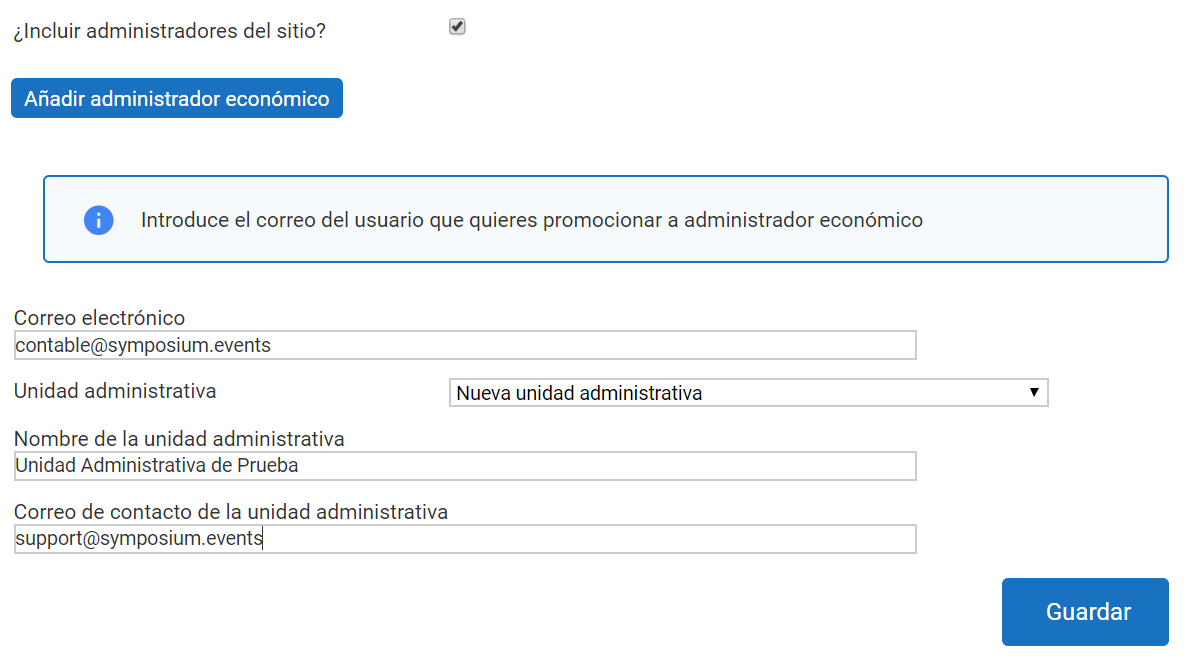
To create an Administrative unit, an Economic administrator must exist first, so Administrative units can only be created at the same time as an Economic administrator is added. You will need to enter a name for the new Administrative unit and a contact address for it.
Assigning a new Economic administrator to an Administrative unit
The same Economic administrator can belong to more than one Administrative unit. To link the Economic administrator to the Administrative unit, click “Add economic administrator” and enter their email address. Then choose the “Existent administrative units” option from the drop-down list. A list of units will appear, with buttons to select one or more of them.