Invoicing details
The Administrator can create as many invoice issuers as needed from this section, found in the Administration panel:
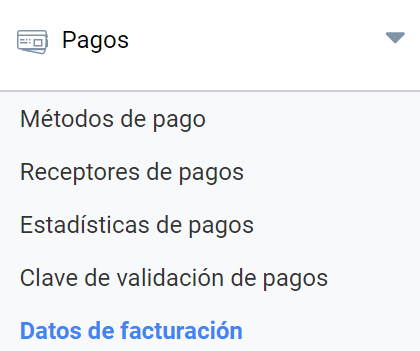
Your institution may have to issue invoices for the paid registrations of the events it holds and also for the sale of products associated with events. Those invoices may show different issuer details. You can configure them here and later choose, for your event, which of them appears on the invoices as the issuer. Invoices can be downloaded in PDF format.
In this section you can add a new invoice issuer, or view, edit or delete the existing ones.
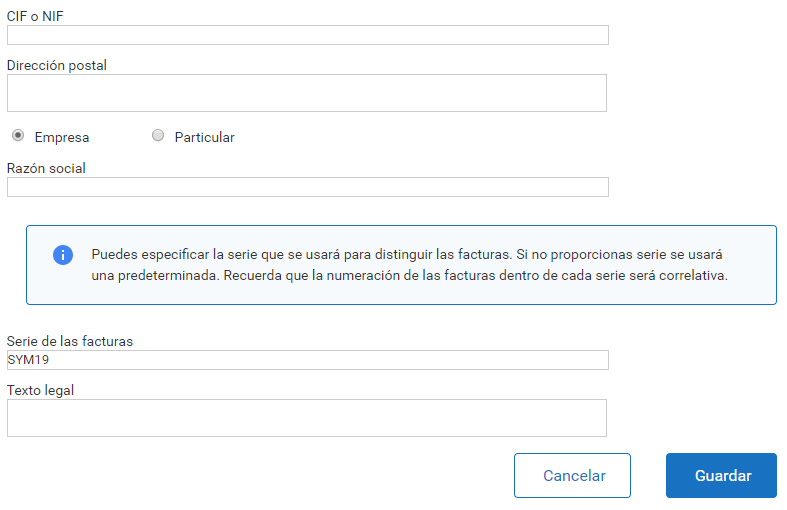
Adding a new invoice issuer
This feature requires the invoice issuing permission to be enabled. Your institution may have decided not to use the Symposium invoicing module and to use its own management applications instead.
Invoicing details are always associated with a Payment receiver. You must configure an invoice issuer profile before configuring a Payment receiver.
To be able to issue an invoice, you must add at least one invoice issuer with the following details:
- Add the CIF or NIF (Spanish tax ID), depending on whether it is an institution or an individual
- Enter the postal address
- Indicate whether the issuer is a company or an individual
- Name or company name
- Optionally, you can enter the series that will be used to identify the invoices
- Add a legal text to be shown on the invoices
You can have more than one invoice issuer, which you can later assign to different Payment receivers.