Platform-level video conference reports
View information on all the webinars held on the platform from the Administration panel > Tools > Video conference reports.
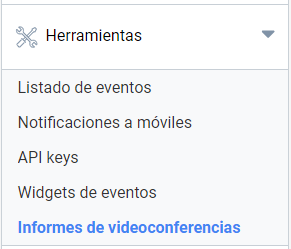
View all the data and download full reports of the webinars held in events on the platform.
Webinar list
In this section you will find a list of all the webinars that have taken place on the platform. The list shows the most recent webinars first, with the oldest at the end.
Report contents
The information shown at first level is:
- Webinar title
- Event ID and link
- Requester’s name
- Total room duration in minutes
- Total number of participants (host and panelists included)
The report is a downloadable Excel file split into two sheets: webinar summary and attendees.
Webinar report
- Event title
- Event topic
- Name of the webinar requester
- Email of the webinar requester
- Start date and time, local to the event
- Session duration
- Number of attendees
- Attendee report download
Webinar attendee report
- Name the user enters in Zoom to identify themselves
- User’s email
- Total minutes spent in the room. This is the sum of all the connections they have made.
- Number of times they join and leave the room
- Join date and time
- Leave date and time
Last updated on