Frontpage settings
From this section, in addition to customizing your main frontpage and giving it its look, you can create up to ten sub-frontpages in which you can organize all the published events of your instance.
Creating new sub-frontpages in your instance
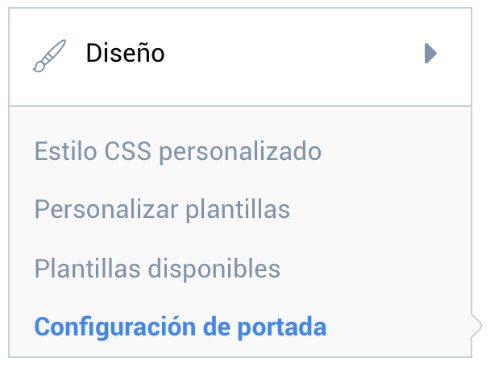
Go to the Administration panel and find the menu Design > Frontpage settings.
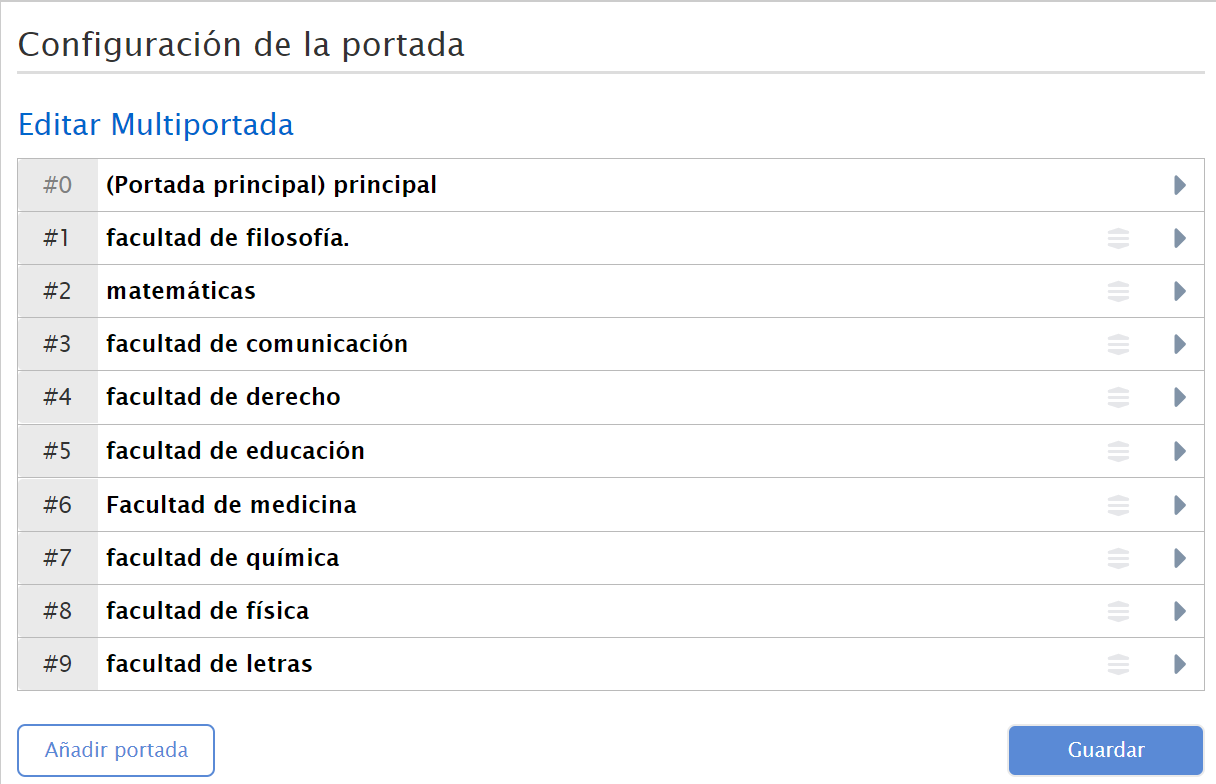
In this menu you can create and view the existing frontpages. To create a new frontpage, click “Add Frontpage”.
Next, you will have to fill in the creation form:
- Give the frontpage a name.
- Tick the checkbox so that the frontpage is visible and can be available to the organizers who can publish on it.
- Customize the content and the order in which you want it to be displayed on your frontpage.
- Customize the appearance of the frontpage.
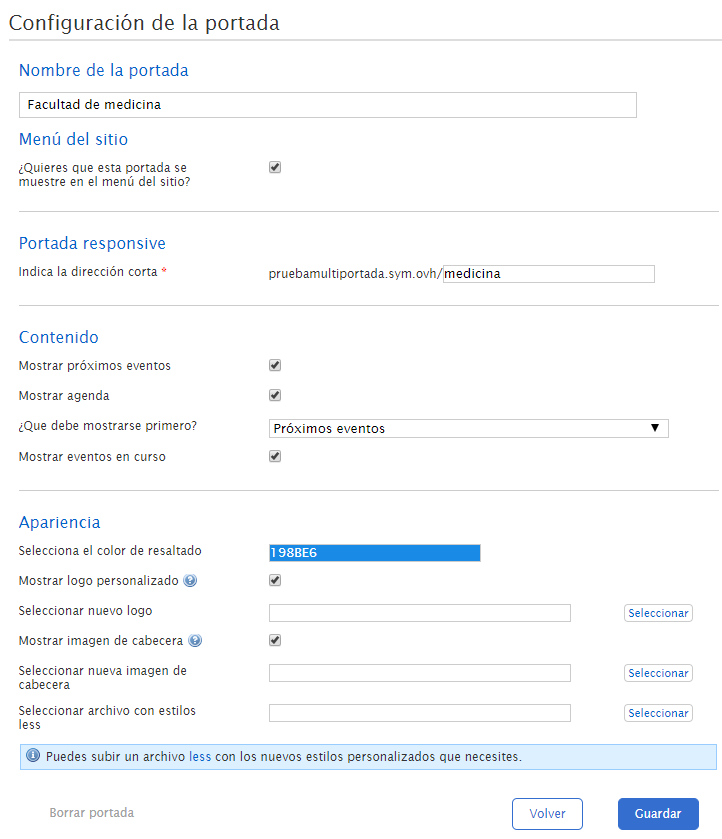
Once you have configured every aspect, you can publish your frontpage with “Save”.
You can change the order of the existing frontpages by dragging them to the position where you want them to be displayed. The only frontpage that cannot change position or be deleted is the main frontpage since, at a minimum, the instance must have one frontpage, and that is the main one.