Custom categories
Symposium offers a list of predefined categories to classify events. Each category is linked to several subcategories that let you specify the subject of your events more precisely. In addition to these, you can create as many custom categories as you need.
These categories are used to find events with the search engines on your institution’s frontpage and in the mobile app.
Creating custom categories
There are three options for using categories; select one of them to configure the categories under which the platform’s events are classified:
- Use the custom categories: event organizers will only be able to use the categories from the list you have created.
- Use the platform’s own categories: event organizers will only be able to use Symposium’s predefined categories.
- Combine your own categories with the platform’s: organizers will be able to choose from a combined list with the categories that Symposium includes by default and the ones you have created specifically for your institution.
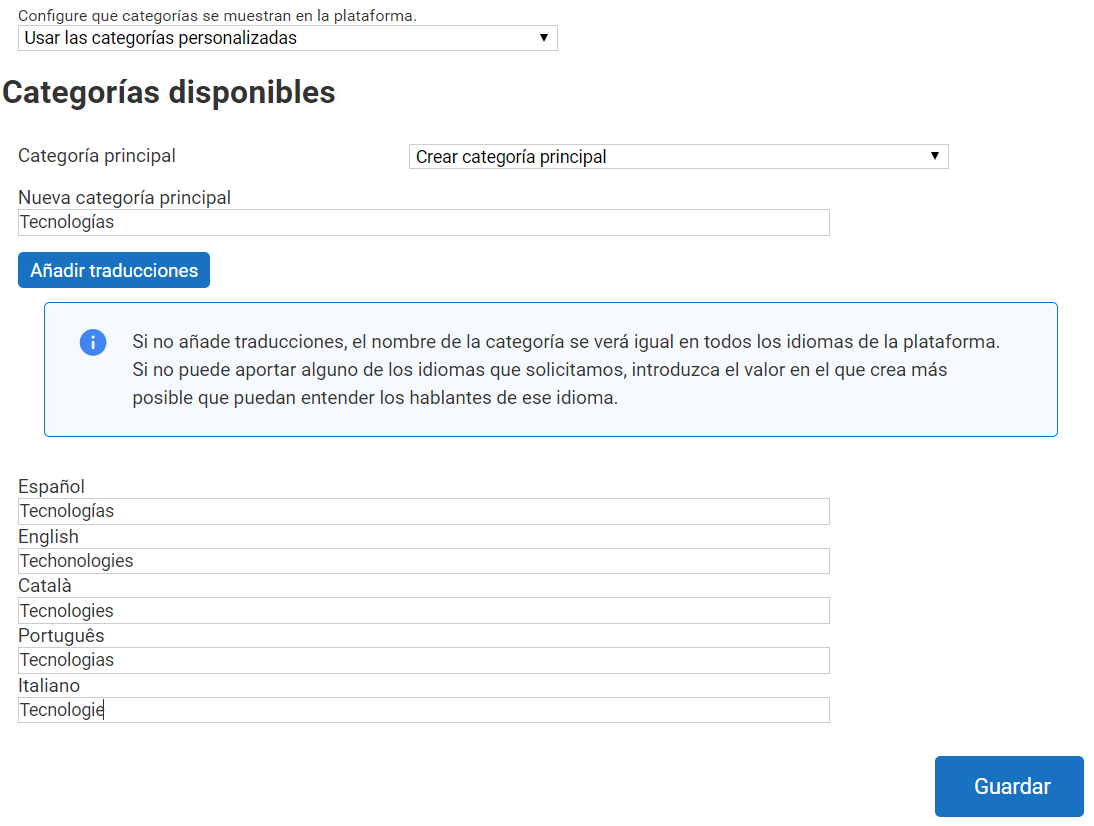
When you create a category, you can set it as a “main category” or create it as a subcategory of one of the custom categories already created.
When creating a category, you can optionally add its translations into the other languages.
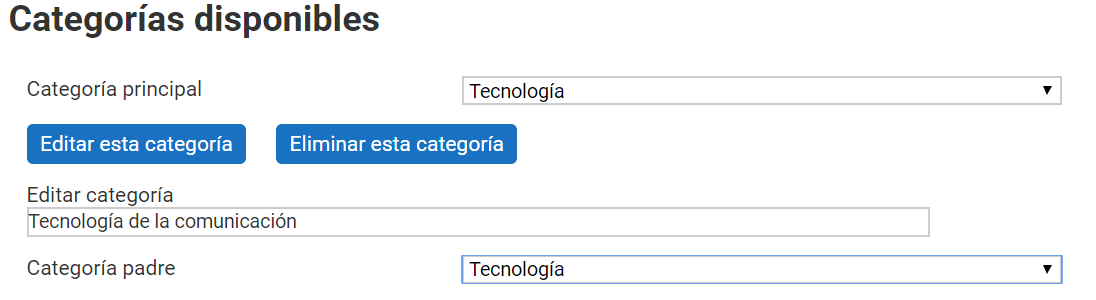
To create a subcategory, follow the same procedure as for creating a main category and then indicate which of them it belongs to. After creating it, select it and click “Edit this category” to indicate which parent category it will belong to.