Cookie policy settings
The Symposium cookie policy shows detailed information about the cookies used by the platform and allows visitors to accept or reject those that are not strictly necessary for the website to work properly.
Platform administrators can optionally use their own Cookie Consent, independent of Symposium, in order to use their own cookie manager in Symposium.
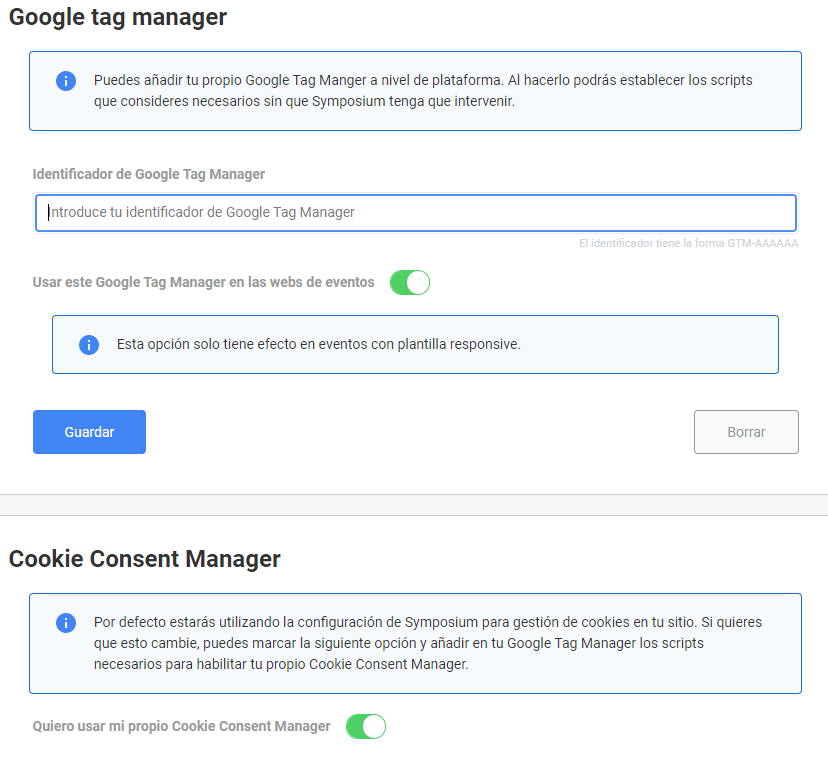
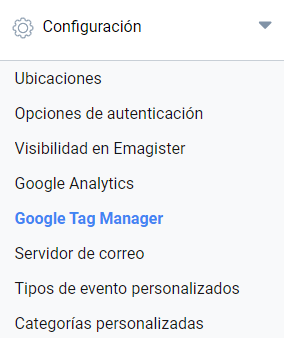
In the Administration panel > Configuration > Google Tag Manager, administrators can specify their own Cookie Consent.
This feature is optional, for those who need to use their own cookie manager. If your institution has its own Cookie Consent Manager, it can be used instead of the one provided by Symposium. Your Cookie Consent Manager scripts must be included through your Google Tag Manager.
The Cookie Consent settings panel is organized into two areas:
- Google Tag Manager
Here you can specify your own Google Tag Manager ID and enable the option to include it on all event pages of your platform.
- Cookie Consent Manager
Here you can choose whether the platform uses the Symposium Cookie Consent Manager or whether it is disabled. If you disable it, make sure that your own Cookie Consent Manager is being loaded through your Tag Manager.